Build the template.
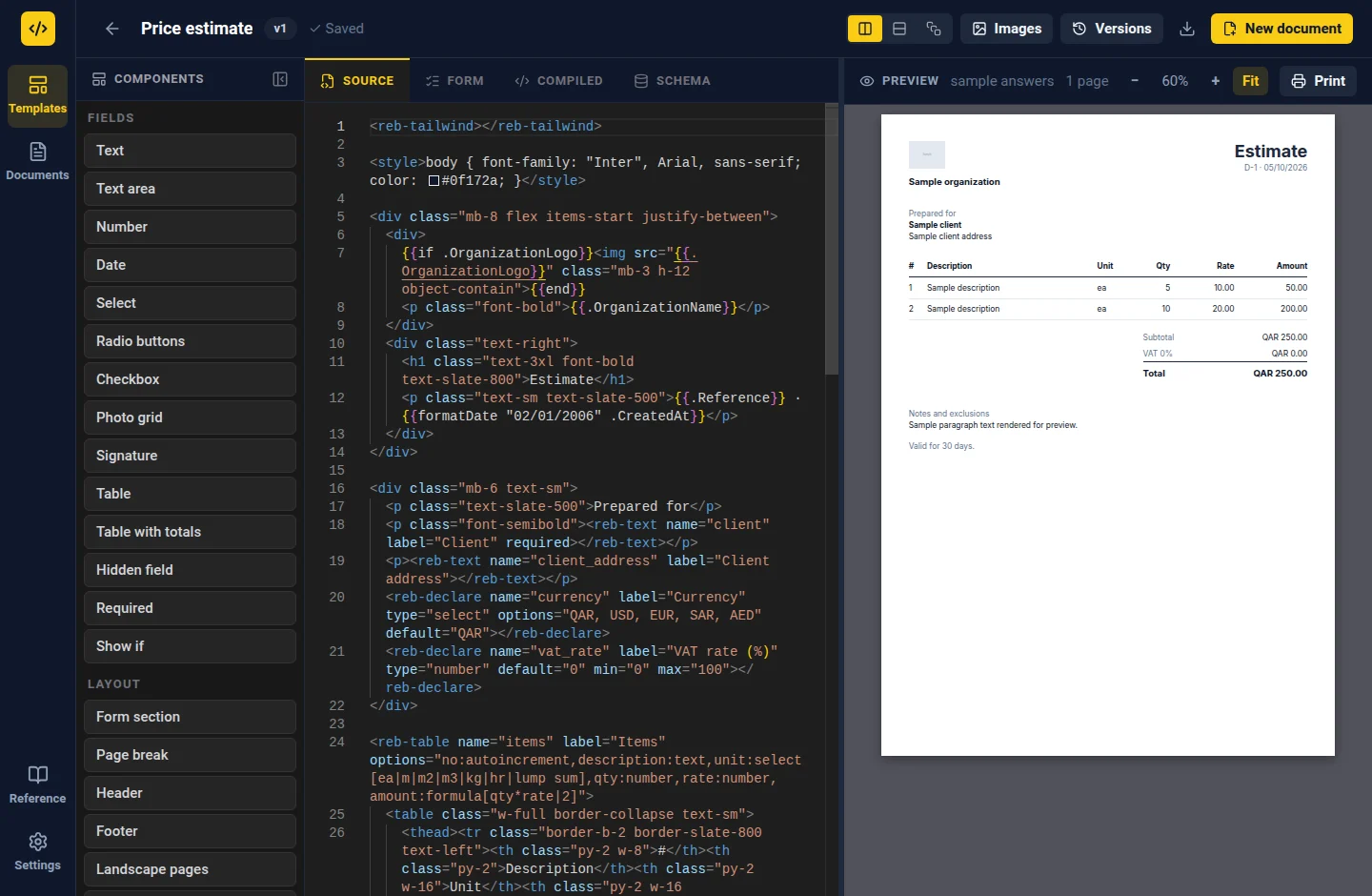
Write a .reb template with a live preview, or start with a ready-made construction form. Define the fields and the layout in one place.
THE OFFLINE DOCUMENT WORKSPACE
Turn the paperwork your work runs on into reusable templates and finished PDFs. Build, fill, and export — wherever the job takes you.
Free & open source No account needed
01 / THE WORKFLOW
One workspace for the whole document.
Start with a template. Make it your own.
Use it again tomorrow.
Write a .reb template with a live preview, or start with a ready-made construction form. Define the fields and the layout in one place.
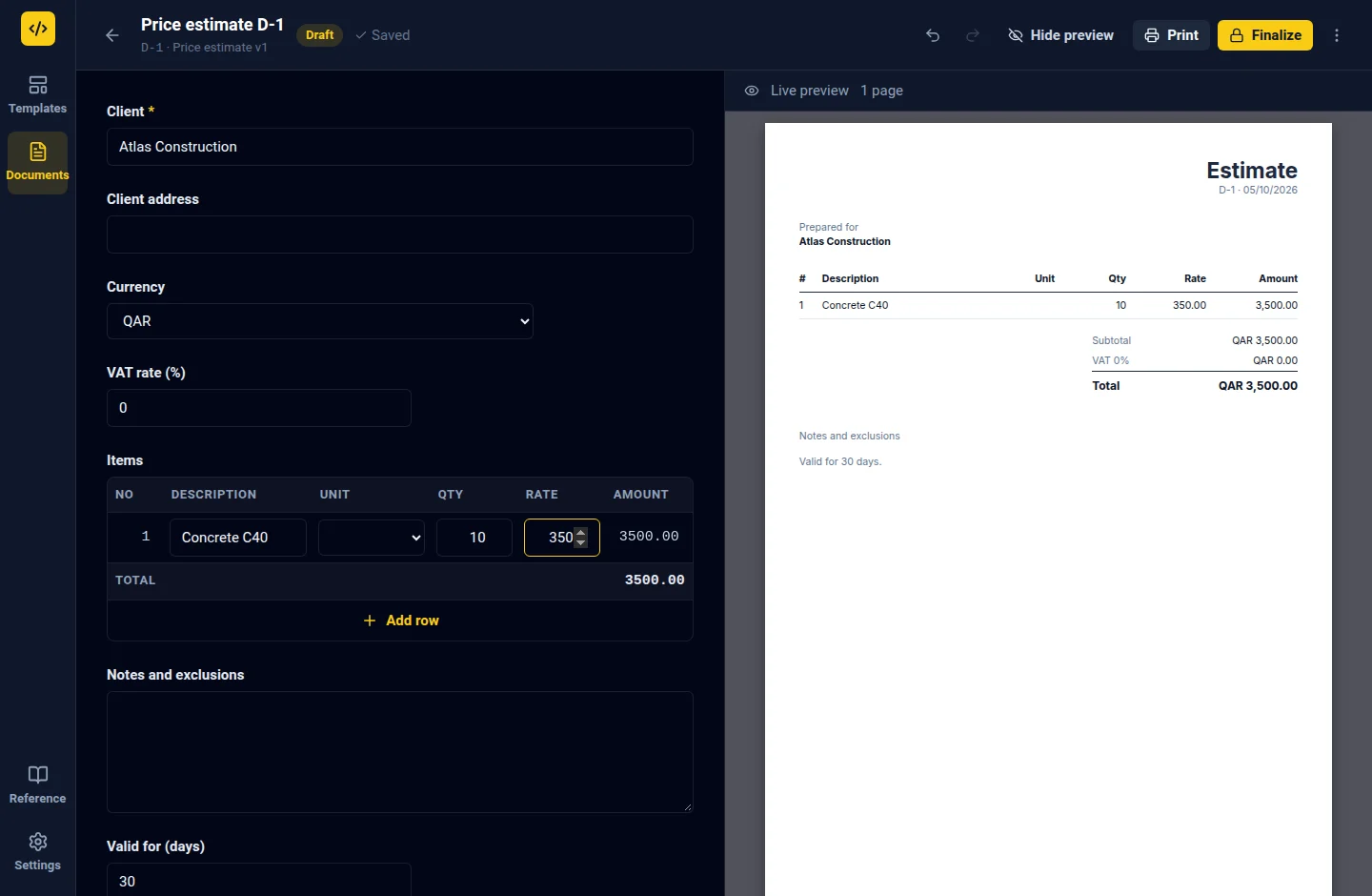
Your template becomes a form. Add text, dates, tables, photos, and signatures. Calculations update and your draft saves as you work.
TEMPLATE → FILLED DOCUMENTCheck required answers, finalize the document, and export a PDF. Need a change? Reopen it as a revision and keep the original intact.
DOCUMENT → FINISHED PDF02 / MADE FOR REAL PAPERWORK
Site diaries. Inspections. Estimates.
The everyday documents that deserve
a better everyday tool.
At your desk or away from a connection, your workspace is right there. Templates, documents, and files stay on your device.
The web app works offline after its first download. Export a workspace backup to keep a separate copy.
Edit the template source and see your paginated document update alongside it.
Computed table totals, conditional fields, and validation use the shared Rebar engine.
Bring in photos, add signatures, and use template images such as your company logo.
Versioned templates keep existing documents tied to the version they were created with.
Permit to work / Site diary / Inspection checklist / Price estimate / + 6 more
03 / PART OF SOMETHING BIGGER
Studio runs the same template engine as the Rebar platform. Author locally, then export your templates for use by your team in Rebar.
Explore Rebar StudioYOUR DEVICE
.reb .rebpackEXPORT & IMPORT04 / YOUR NEXT WORKSPACE
Free to use. Yours to keep.
v1.0.0-beta.3 EARLY ACCESS
Open Studio in your browser. Install it as a web app for a workspace you can return to offline.
Open StudioA dedicated workspace, native PDF export, and files that open straight from your desktop.
Download installer Or get the portable version ↗The same Studio workspace, packaged for your Linux desktop. Choose the format that fits.
Download AppImage Or get the Debian package ↗On macOS? Use the web app. Release notes & all downloads
Yes. Rebar Studio is free and open source under the GPL-3.0-or-later license. You can use it without an account or a Rebar subscription.
Both let you create templates and fill documents locally. The desktop app exports PDFs directly through Chromium. The web app uses your browser’s print dialog and can be installed for offline use after the initial download.
On your device. The web app uses browser storage; the desktop app has its own local workspace. Export a workspace backup from Settings regularly, especially before clearing browser data or moving to another device.
You can fill documents without writing code. Creating or changing a template means editing .reb source, which combines an HTML layout with form fields. The starter gallery, snippets, and live preview help you get going.
Studio and Rebar use the same .reb engine. Export a .reb template, or a .rebpack with its images, and import it into Rebar. Sharing is through files; Studio does not automatically sync your workspace to the platform.